
Ask your inbox what's next
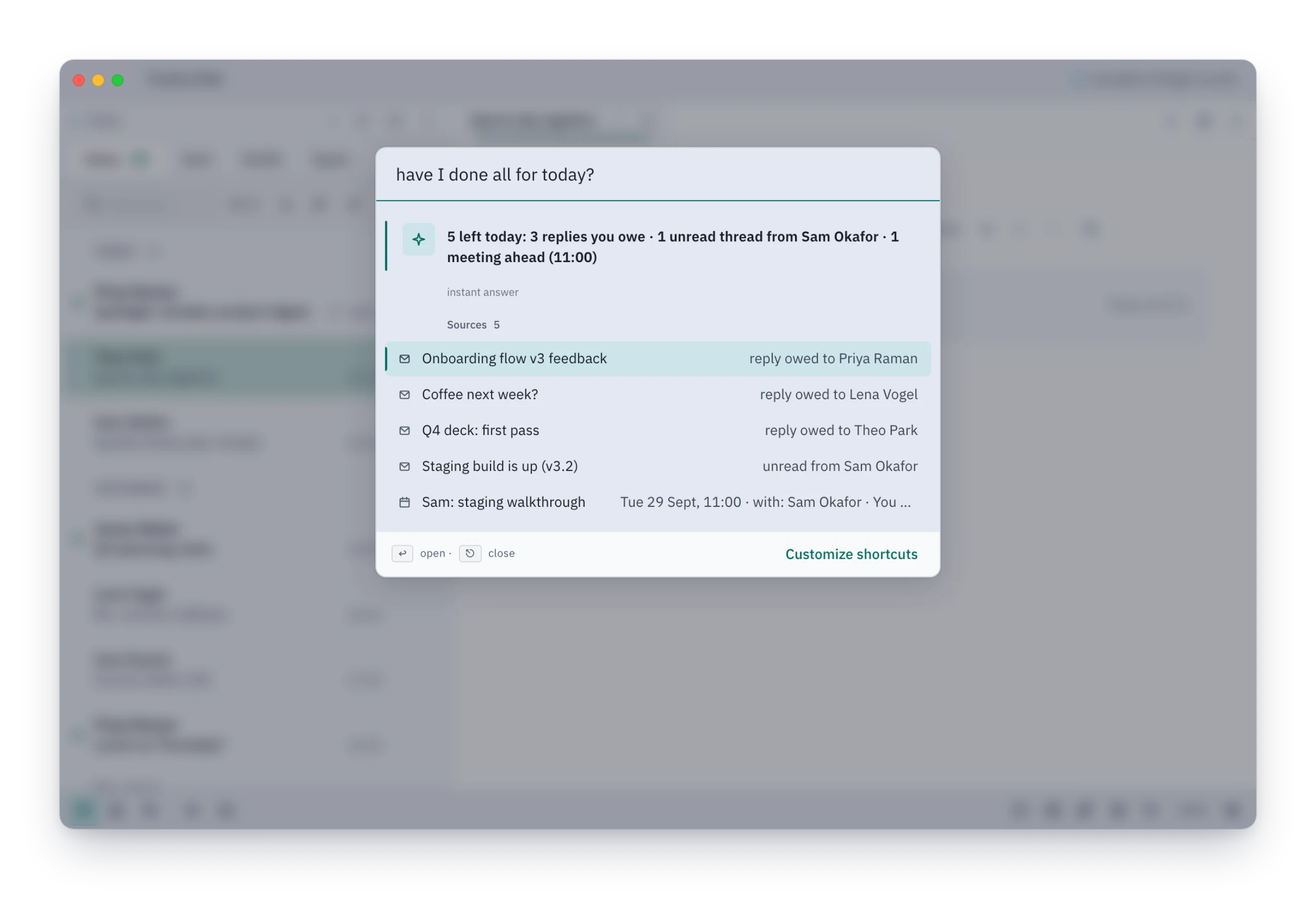
Ask ⌘K about your next meeting, your day or who owes a reply. It answers from your own mail and calendar, cites the source, and opens it on Enter. It works with AI switched off.
See it here
A browser preview on sample data.
How it works
- Press ⌘K anywhere in Tundra.
- Type a question in plain words, such as when is my next meeting.
- Read the one-line answer. The sources it came from are listed under it.
- Press ↵ to open the first source, or use the arrow keys to pick another.
- With AI switched on, press ⇥ to continue in the Agent chat. Chat answers need a model.
Learn more
Some questions have a simple answer sitting in your calendar or in one email. ⌘K finds it from the data on your machine and shows its sources, so you can check it in one keystroke.
The instant answers come from Tundra itself, with no model involved. With AI switched on and a model added, ⇥ takes a question further in the Agent chat.
Good to know
- Quick answers cover what Tundra can read directly: your next meeting, today's calendar, what is left today, who owes a reply, and how much mail a person sent you this week.
- With AI off, a question Tundra cannot answer itself gets no answer line. The command list stays; if no command matches, a row offers to search your mail for it. With AI on, ⌘K says when the quick look found nothing and offers to continue in chat.
- Drafting a message from ⌘K, such as "tell Sam I'm running late", needs AI switched on. Nothing sends until you press Send.